Select a useful group
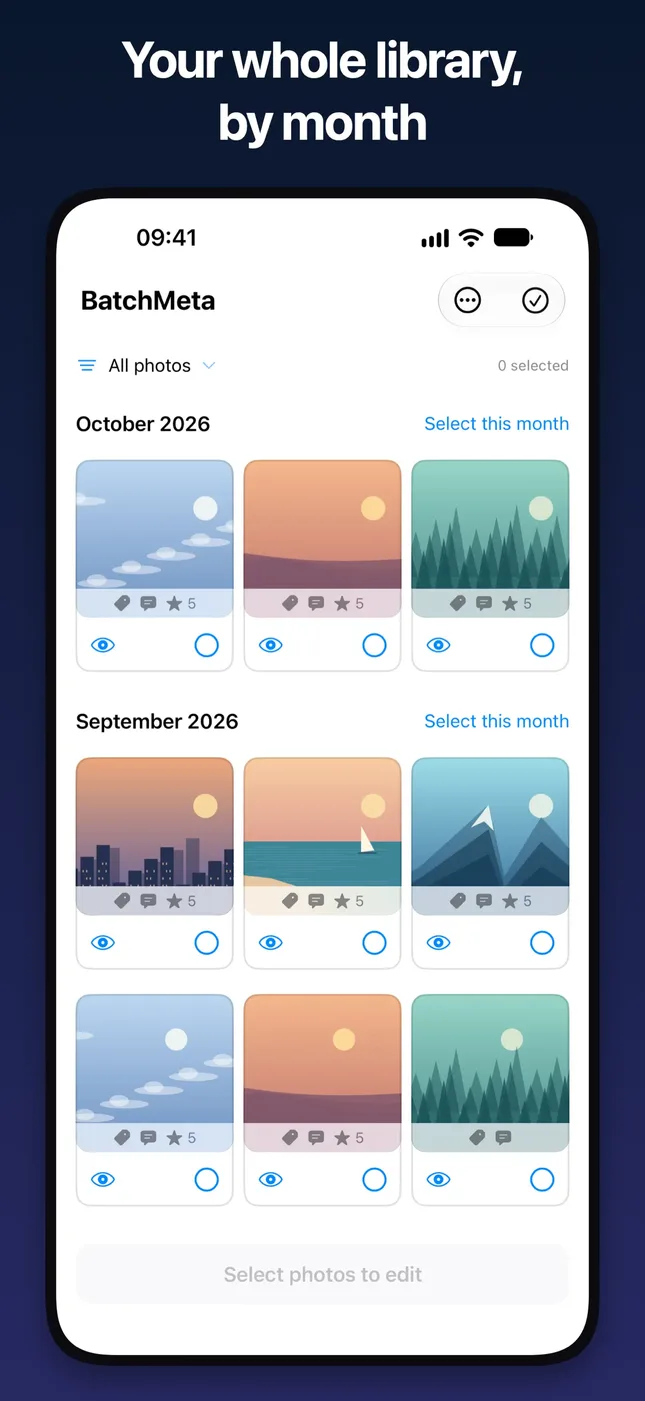
Browse by month, choose a date range, or filter your library. Keep existing metadata in view as you review the proposed changes.

Bulk Tags, Captions & Ratings
Organize your photo library in batches. Add keywords, captions and ratings, preview every change, and undo when needed.


Add meaningful keywords, captions and star ratings to photos in your existing library. Label a family gathering, describe a trip, or mark favorites for a personal archive without editing every photo separately.
Browse by month, choose a date range, or filter your library. Keep existing metadata in view as you review the proposed changes.
Add or remove keyword tokens, replace or append captions, and set ratings across a batch.
The review screen shows how many photos will change and gives before-and-after examples. Photos that already match are skipped.
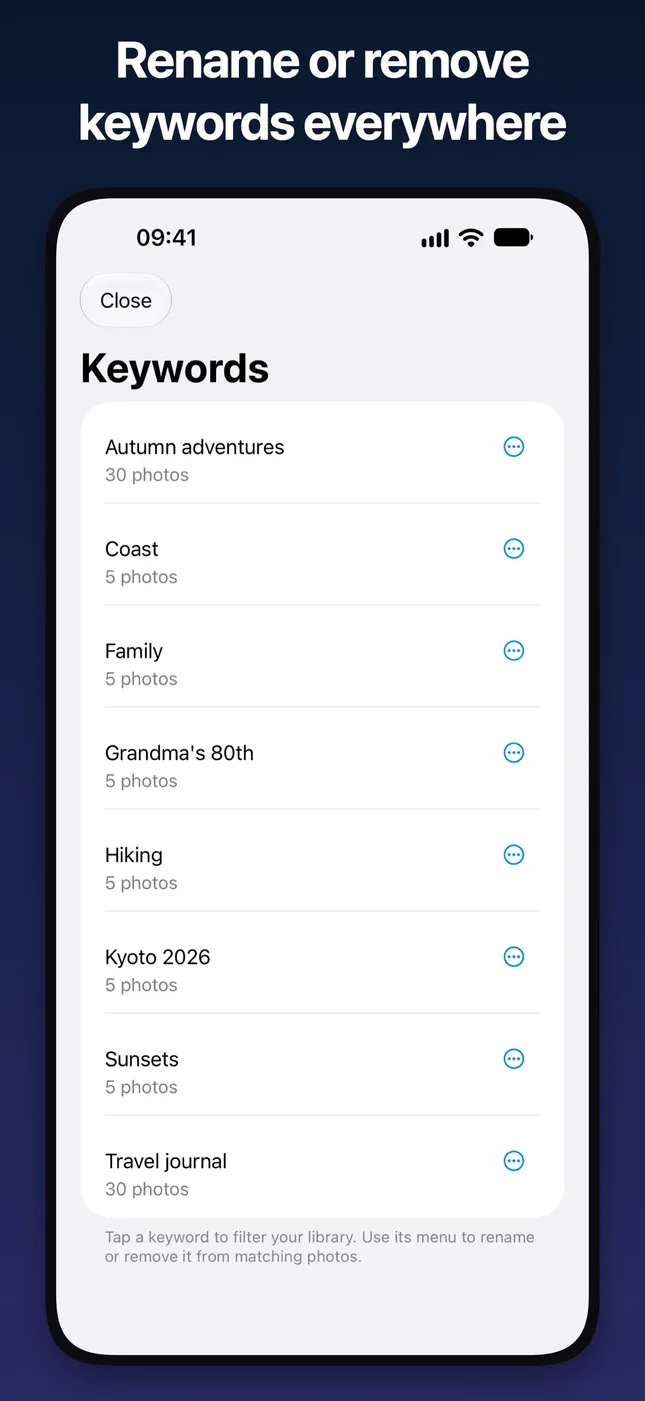
Browse existing keywords and rename or remove them across matching photos. Your labels stay in your photo library, not a separate catalog.
Recent changes keeps a local history so you can undo eligible changes. Undo remains free, including for large batches. Photos changed again later are checked before restoration.
BatchMeta processes metadata on your device. It does not upload your photos or collect analytics. No account required.
Screenshots from the App Store listing.
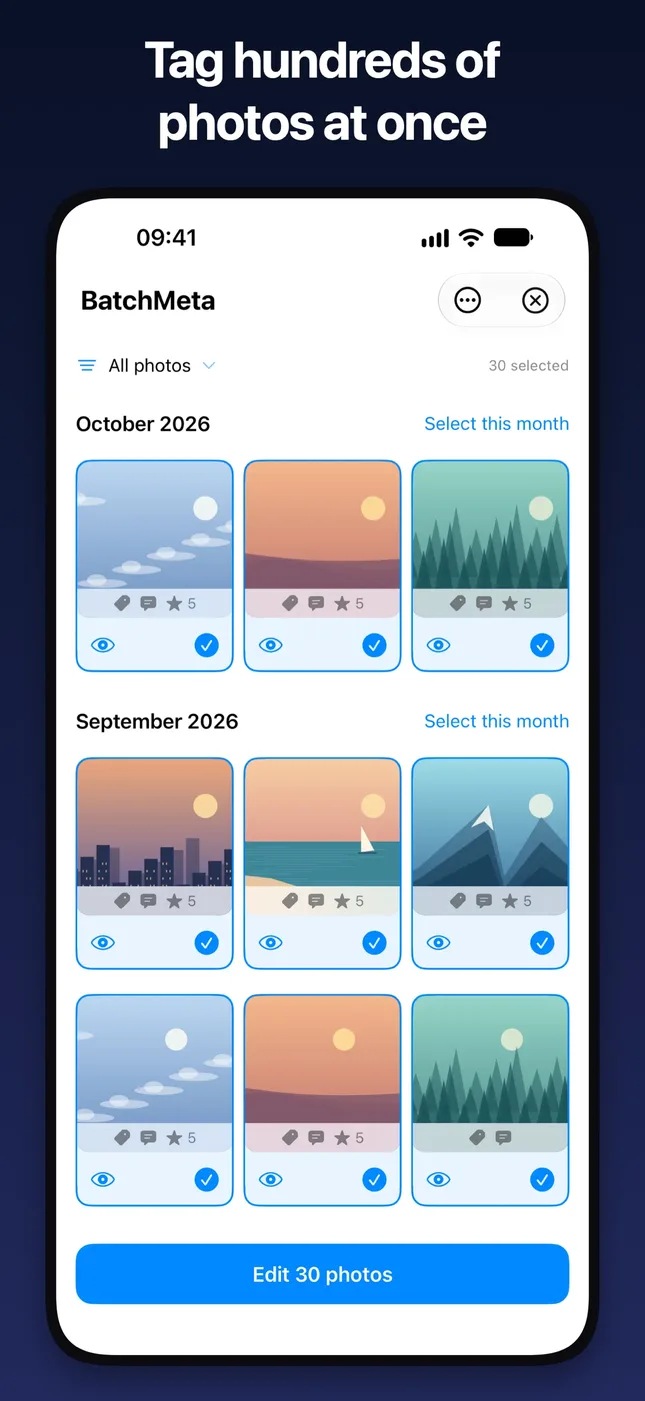
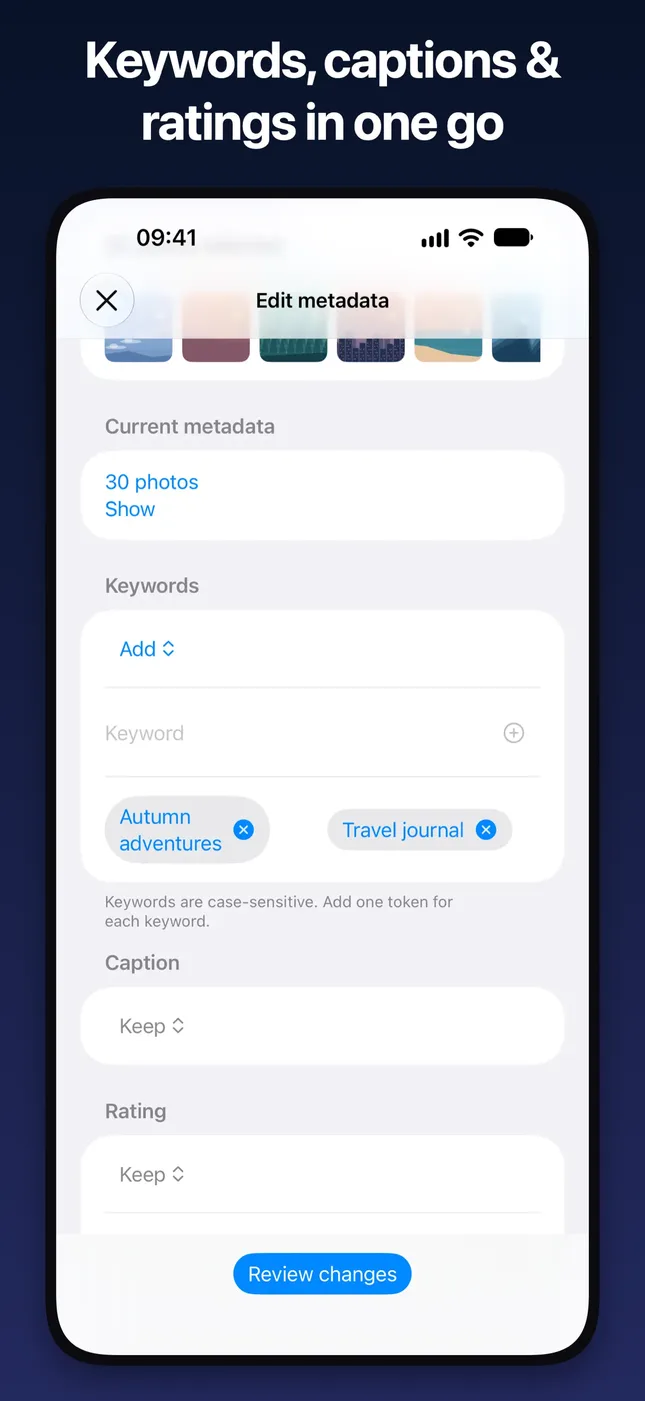
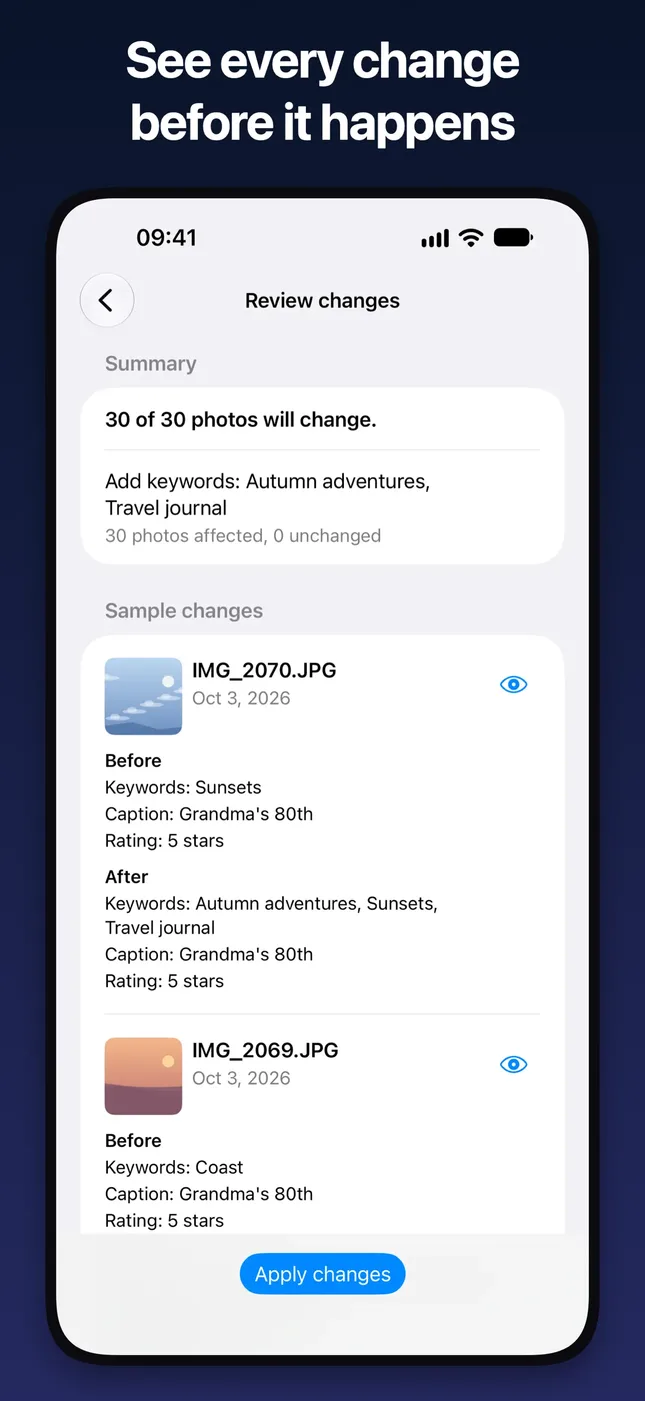
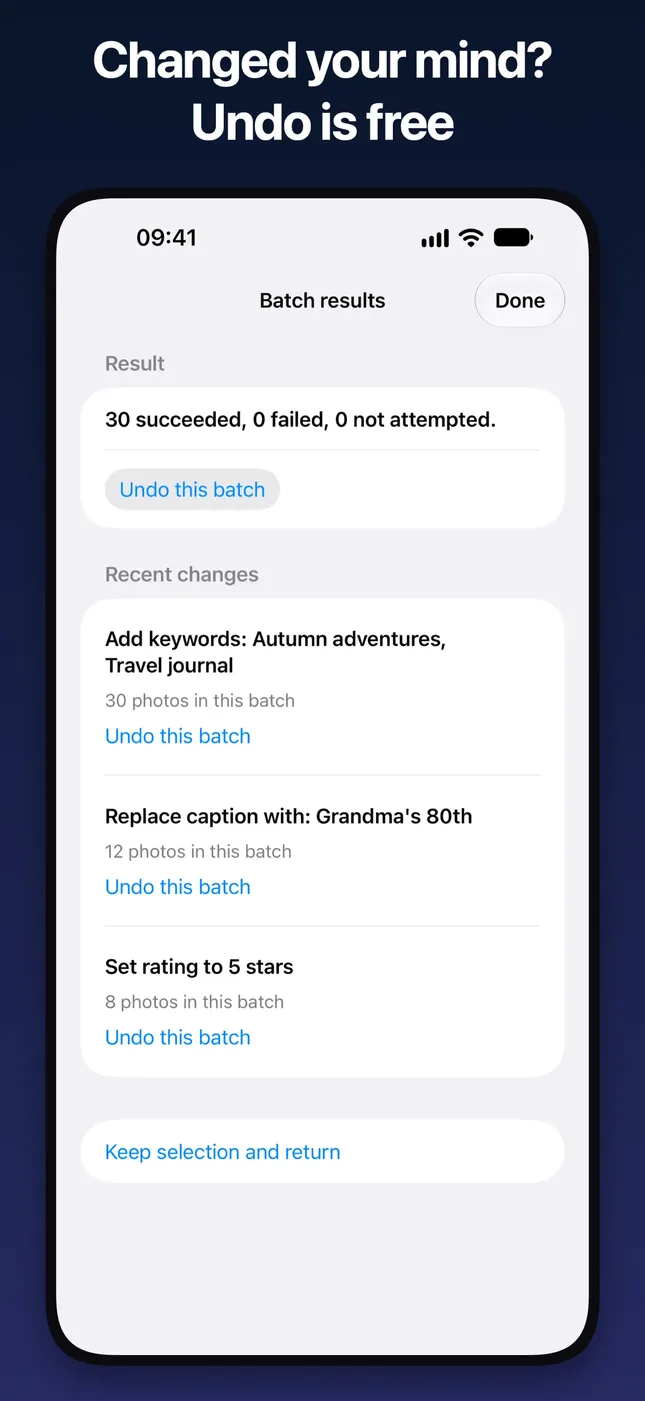
Select photos, choose metadata edits, review the before-and-after examples, then apply.
Pick photos by month, date range or filter.
Choose keywords, a caption and a rating for the whole batch.
See how many photos will change, with before-and-after examples.
Apply the batch. Undo eligible changes later from Recent changes.
App Store privacy label: Data Not Collected.
No subscription and no account required.
Change up to 25 photos per batch. Undo is always free, including for large batches.
One-time in-app purchase that unlocks larger batches. Price shown is the U.S. App Store price; prices vary by region.
Yes. You can change up to 25 photos per batch for free. BatchMeta Unlimited is a one-time purchase that unlocks larger batches. There is no subscription.
No. BatchMeta processes metadata on your device. It does not upload your photos or collect analytics, and it doesn't require an account. Your system photo-library syncing settings (such as iCloud Photos) still apply.
Full photo-library access is required for keyword editing. You can change photo permissions in iOS Settings.
Yes. Recent changes keeps a local history so you can undo eligible changes, and undo remains free. Photos changed again later are checked before restoration and may be skipped to preserve those newer edits.
Ratings appear in Photos across your synced devices, but they are not included when exporting files.
Restore Purchases is in About and on the upgrade screen. Use the Apple Account associated with the purchase.
An iPhone running iOS 27.0 or later. The app is available in English and Simplified Chinese.
Start free with 25-photo batches.